How to Parse JSON in Workato
When JSON payloads aren’t automatically turned into data pills by Workato, the native JSON Tools by Workato app is a great way to turn fields into data pills for further usage in your recipe.
To showcase this, I created a variable mocking an API’s JSON payload; this payload then gets parsed by Workato, providing useful data pills for each nested field.
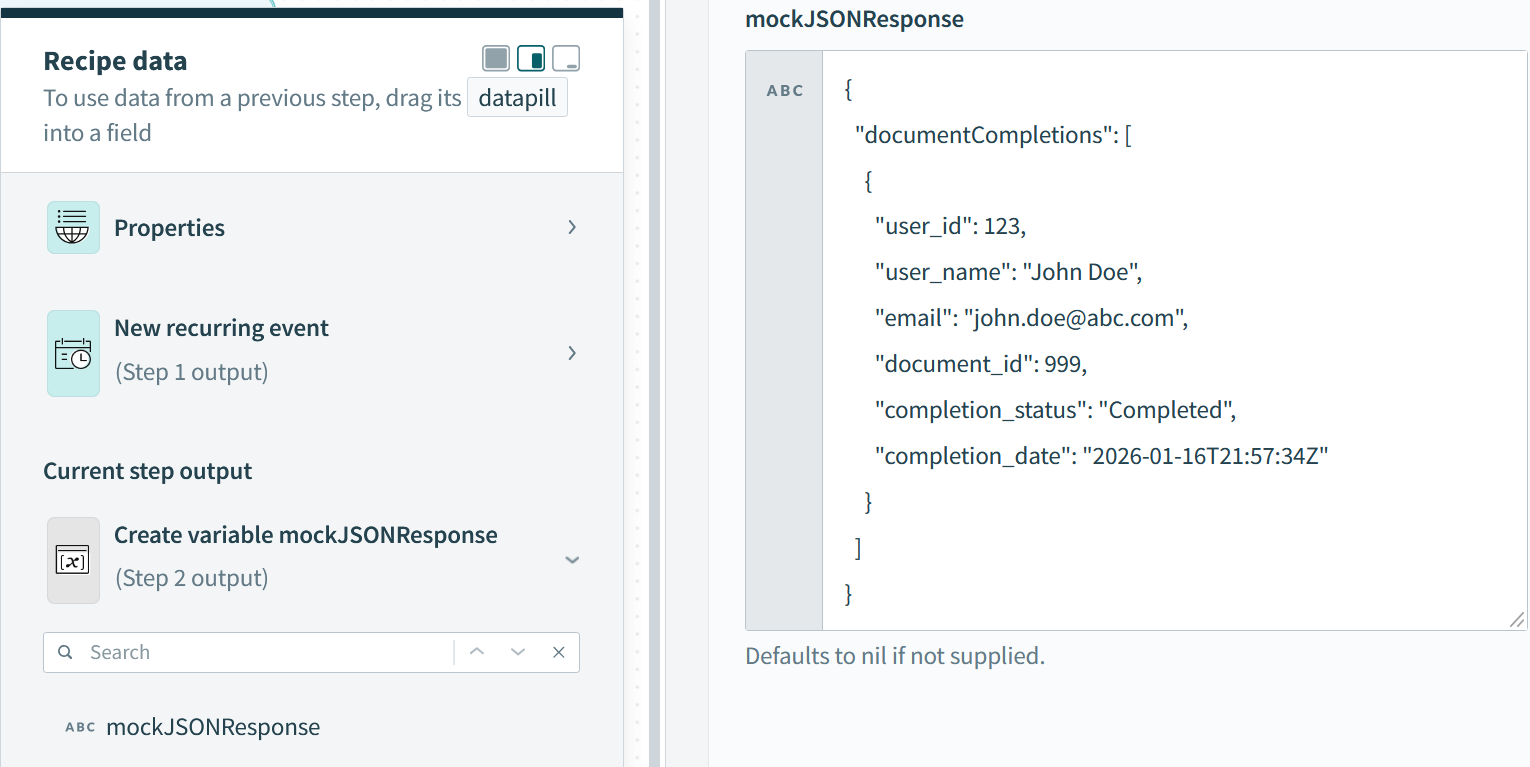
Workato variable “mockJSONResponse” created to showcase parsing JSON functionality of JSON Tools by Workato; this allows for data pills to be created from fields returned in API calls for further use in Workato recipes.
JSON Tools by Workato is the app name, which will then show the Parse JSON Document action.
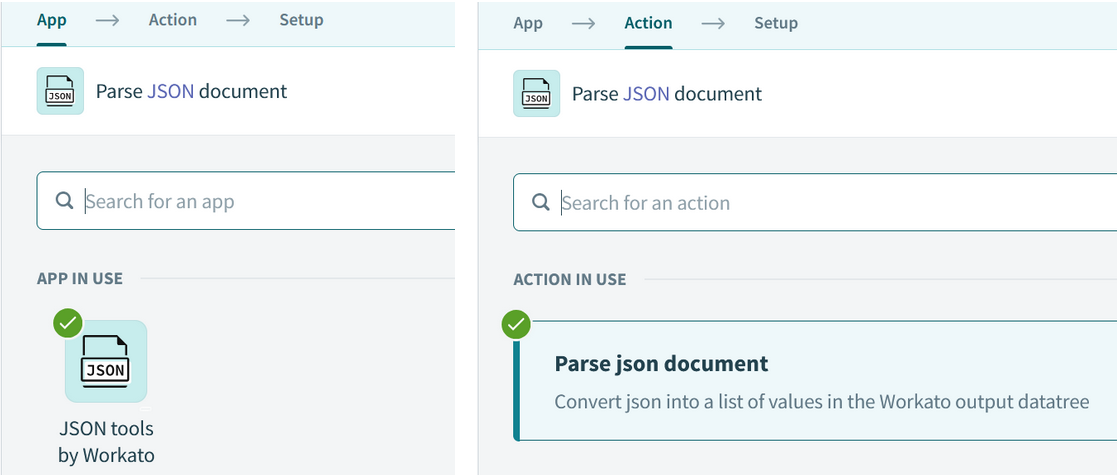
JSON Tools by Workato app → Parse JSON Document Action
The Setup section prompts for a sample document (the payload’s JSON structure) and the actual Document (the payload itself) in order to output the datatree. For demo purposes, I used the variable for the actual Document; most likely you will be using an HTTP response body in place of the variable.
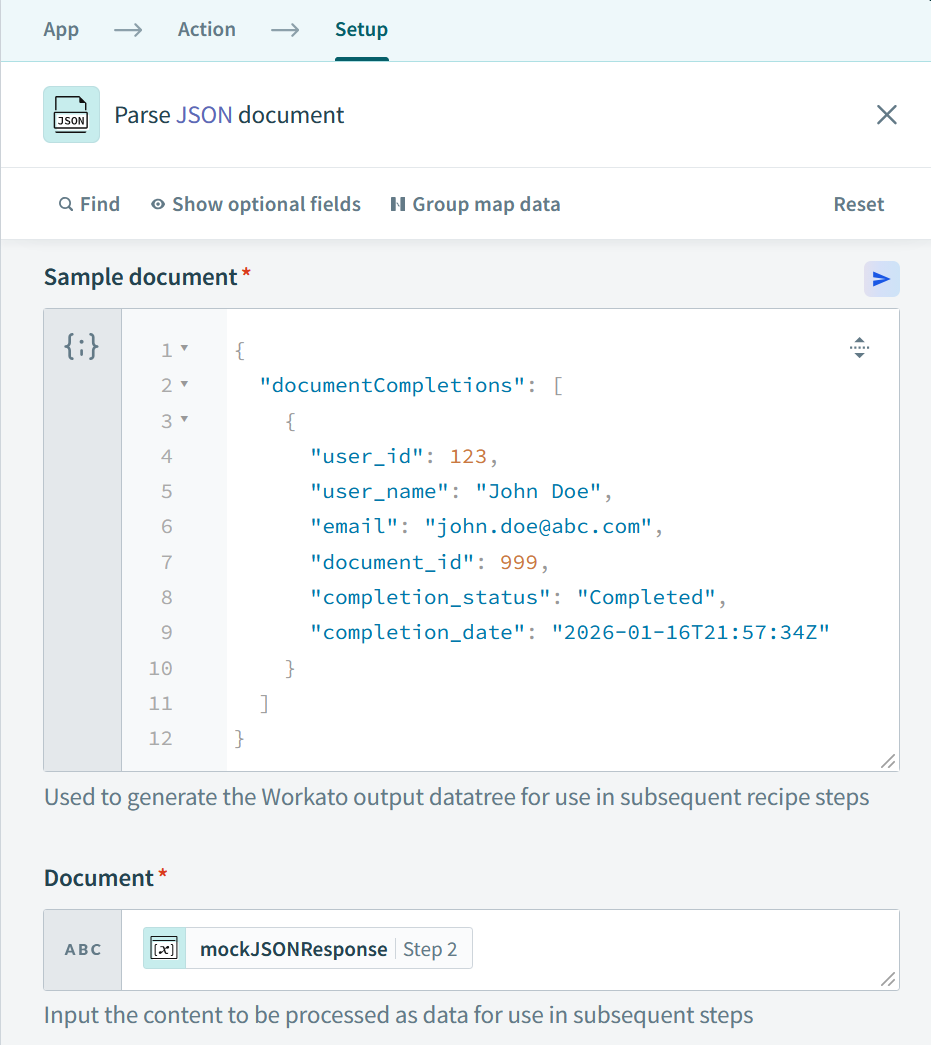
The sample document is set as the same structure as our mockJSONResponse - the documentCompletions array and the nested object. The actual Document (payload) is set to our variable; realistically, Document will be a HTTP response body.
And voilà, we have data pills for each field in our mockJSONResponse, which can easily be looped over, stored in data tables, sent in HTTP requests to other APIs, etc. You’ll know you’re looking at data pills when fields are encased in white boxes like below.
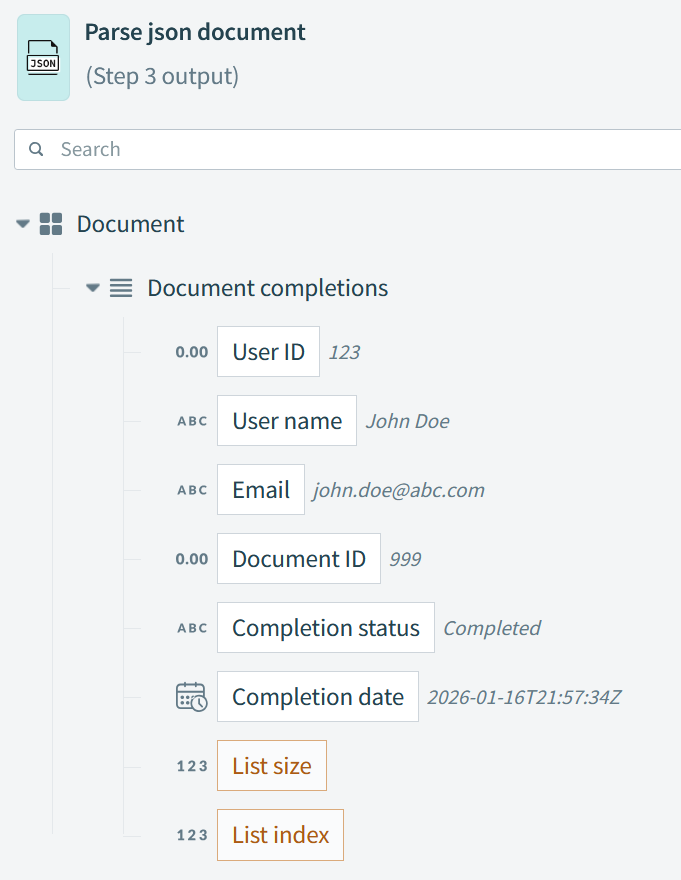
Data pills achieved.
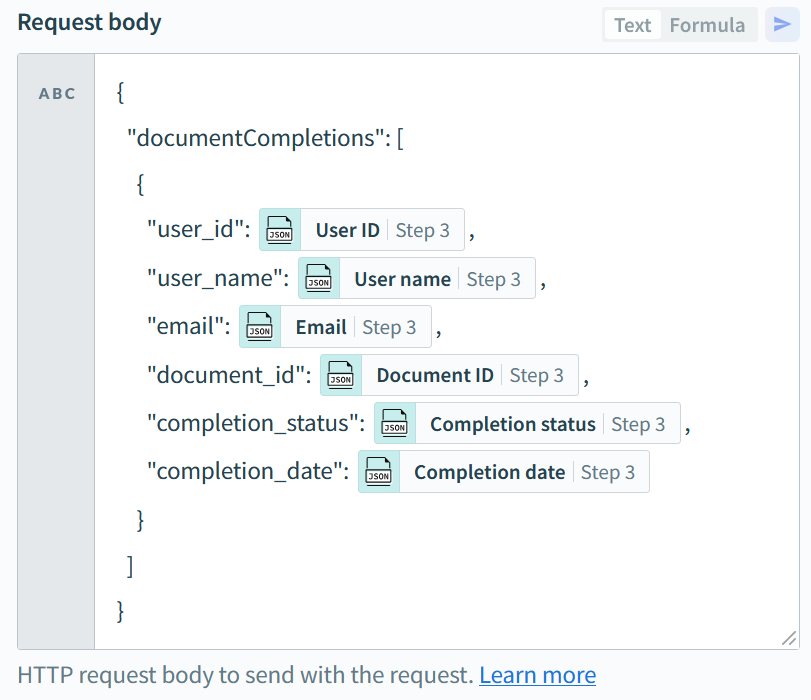
An example of then using the data pills in an HTTP request.
Parsing JSON into data pills is extremely helpful when interacting with APIs, especially for integrations across systems or if data transformations are required. Workato does a great job of making this process easier.
Documentation on parsing JSON with JSON Tools by Workato can be found here: https://docs.workato.com/en/connectors/json-by-workato.html#how-json-tools-by-workato-works