How to Parse JSON in Workato
When JSON payloads aren’t automatically turned into data pills by Workato, the native JSON Tools by Workato app is a great way to turn fields into data pills for further usage in your recipe.
To showcase this, I created a variable mocking an API’s JSON payload; this payload then gets parsed by Workato, providing useful data pills for each nested field.
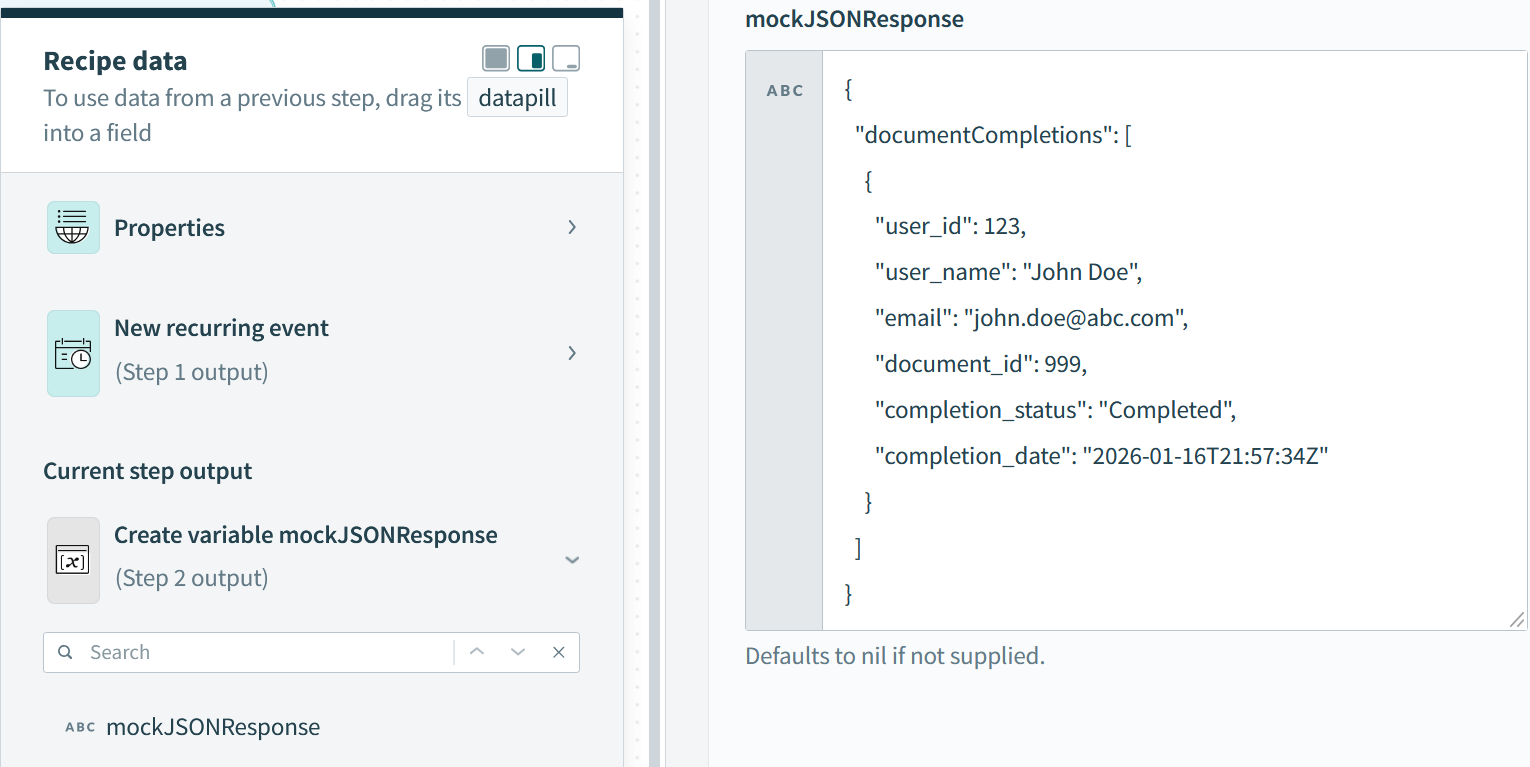
Workato variable “mockJSONResponse” created to showcase parsing JSON functionality of JSON Tools by Workato; this allows for data pills to be created from fields returned in API calls for further use in Workato recipes.
JSON Tools by Workato is the app name, which will then show the Parse JSON Document action.
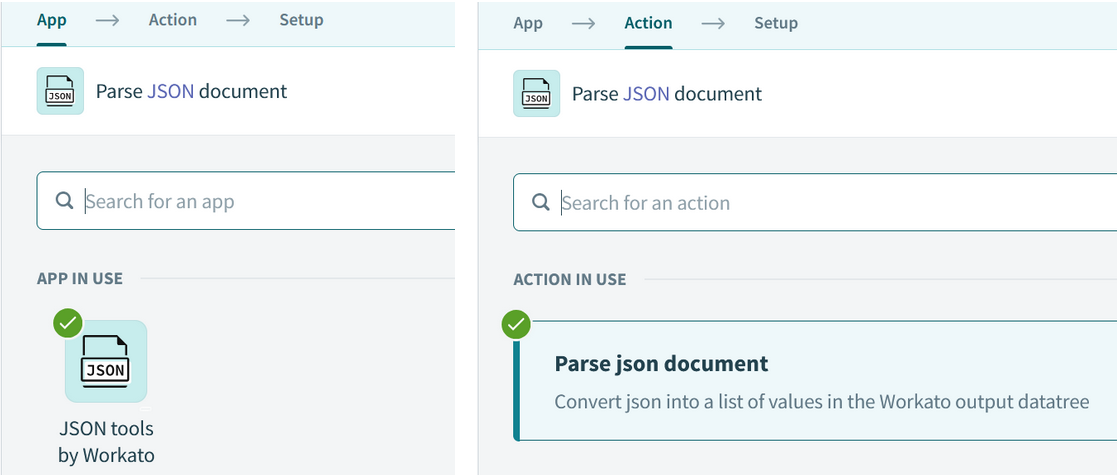
JSON Tools by Workato app → Parse JSON Document Action
The Setup section prompts for a sample document (the payload’s JSON structure) and the actual Document (the payload itself) in order to output the datatree. For demo purposes, I used the variable for the actual Document; most likely you will be using an HTTP response body in place of the variable.
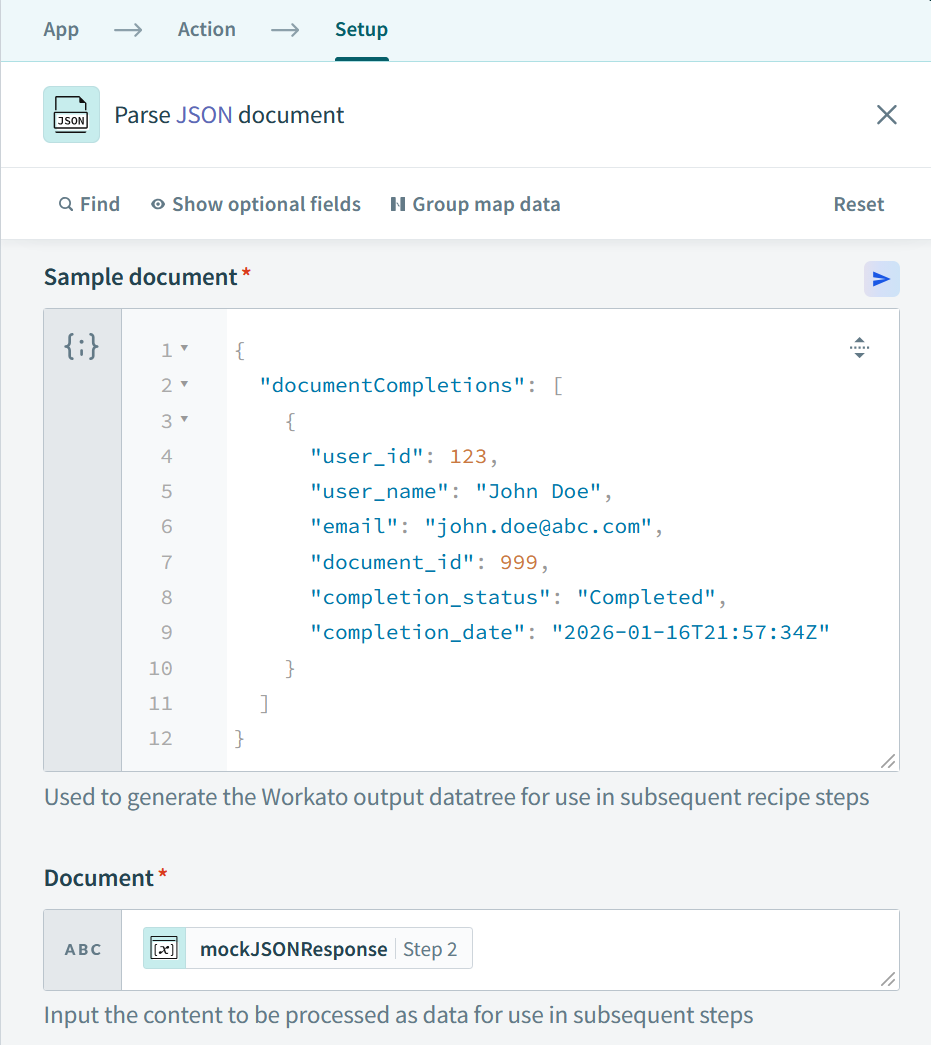
The sample document is set as the same structure as our mockJSONResponse - the documentCompletions array and the nested object. The actual Document (payload) is set to our variable; realistically, Document will be a HTTP response body.
And voilà, we have data pills for each field in our mockJSONResponse, which can easily be looped over, stored in data tables, sent in HTTP requests to other APIs, etc. You’ll know you’re looking at data pills when fields are encased in white boxes like below.
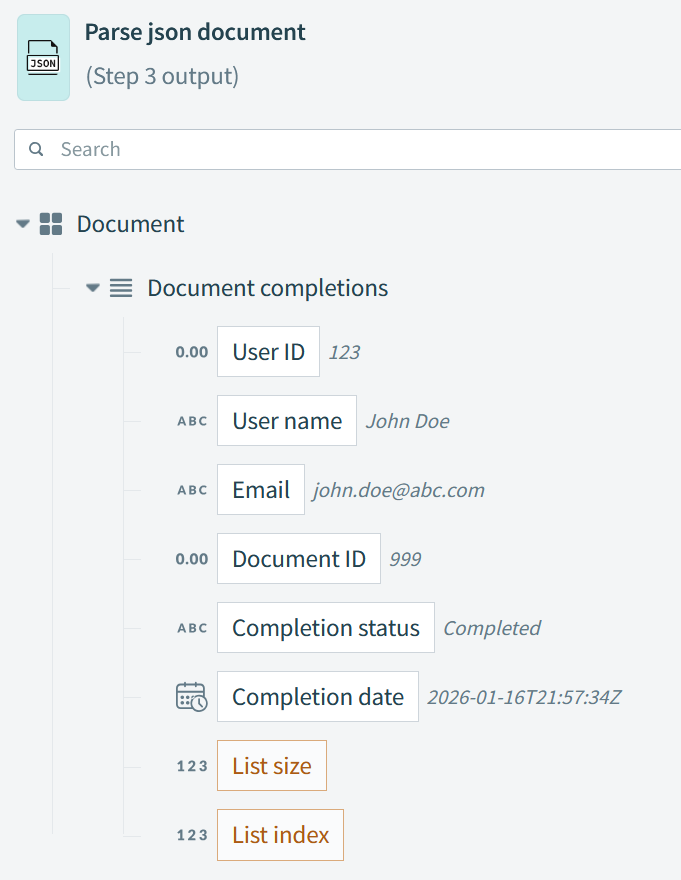
Data pills achieved.
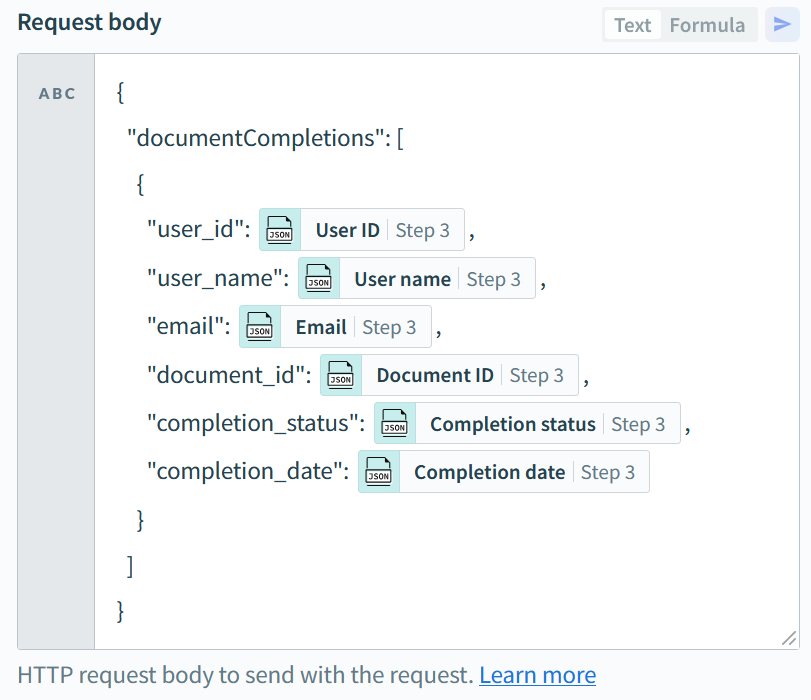
An example of then using the data pills in an HTTP request.
Parsing JSON into data pills is extremely helpful when interacting with APIs, especially for integrations across systems or if data transformations are required. Workato does a great job of making this process easier.
Documentation on parsing JSON with JSON Tools by Workato can be found here: https://docs.workato.com/en/connectors/json-by-workato.html#how-json-tools-by-workato-works
Generative AI is Accelerating Subject Matter Experts
I had time to play with Gemini 3 and Google Antigravity this past weekend, and it took me back to those first “aha!” moments I had when learning programming. This time around, the feeling of awe I get is not from understanding concepts, but rather from supercharging my workflow. That’s where I see generative AI really starting to shine; when used by subject matter experts with clean data and well-guarded rails, large language models like Gemini and ChatGPT drastically cut the time needed to get concepts mapped, MVPs worked up, and even automations launched.
I specify use by SMEs because there absolutely should be a human in the loop; many business use cases require too much nuance (operations) or are too high stakes (finance) to simply hand the wheel to genAI. Often times the data simply isn’t there or isn’t actionable enough to facilitate a full handoff without warm bodies involved. HITL is a symbiotic approach used in machine learning that enhances the capabilities of both humans and machines. The use of said approach by businesses allows their genAI models to be properly trained and ideally more efficient.
The person needs to be well-versed in their business domain in order to maximize the output of AI. The proverbial “what you give is what you get” has never been more true. GenAI loves to sugarcoat things and placate its users, arguably the last thing wanted when building production-ready software or automating financial workflows.
Gemini 3 and Google Antigravity have given me new confidence in where genAI is heading. I was able to get a working prototype generated within 3 prompts/tweaks; what normally would have taken an hour or so to get running took me only 10 minutes. The model’s ability to troubleshoot my local environment and the cloud features I was utilizing far outpaced my previous experiences with online and embedded LLMs.
Software Implementation vs Digital Transformation
When should your software implementation be considered a digital transformation? What’s the difference? For many businesses, the difference can mean success or failure. Too often, teams embark on CRM and ERP implementations without establishing the proper foundations. It can be tempting – cut the check for a new cloud software, get end users working with it, voila! How hard can it be? For businesses on legacy systems, without well-defined processes and policies, and without top-down buy in (from executive leadership down through management to end users), software implementations can feel impossible to complete, or worse, go-live can be a nightmarish hellscape that falls flat on its face.
Established businesses (even those who recognize their dire need to transition to new systems) might buck back when prompted to review their processes. The truth is that there is no better time to do so than before a digital transformation. Formalized policies that drive business processes, when refined, can shorten implementation times and result in more effective software. The alternative can be recreating your legacy system (pitfalls and all) with a shinier user interface. Trust must be established and maintained between the business and technical teams, with an understanding that process refinement is meant to empower the business, not take away their autonomy, abilities, and importance. Technical teams must also focus on bringing the business actionable options, rather than diving into the weeds at every opportunity.